
Browser extension
Complete an inline quiz on a page
Recall a saved translation without leaving the article you are reading.
3 min read · Updated 2026-08-22
Recognize a due word
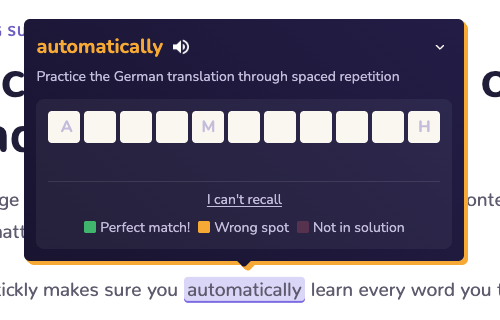
When a saved word is due and word practice is enabled, its highlight can open an inline typing challenge instead of showing the answer immediately.
Recall before revealing
Activate the due highlight, focus the challenge, and type the translation in your native language. Submit when you have made your best recall attempt.
Read the character feedback
Green characters are correct and in the correct position. Yellow characters appear in the answer in another position. Muted feedback means the character is not part of the expected answer.
Finish the review usefully
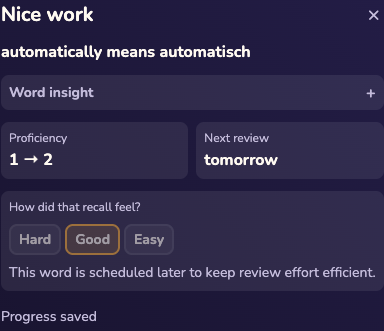
Try again after an incorrect attempt. Once the allowed attempts are used, Stickly reveals the saved translation so the review still ends with a useful answer.
Still stuck?
Tell us what happened.
Include the page, browser, and what you expected. A human reads every message.