
Browser extension
Stop highlighting words
Turn off remembered-word highlights while keeping selection translation available.
2 min read · Updated 2026-08-22
Know what this changes
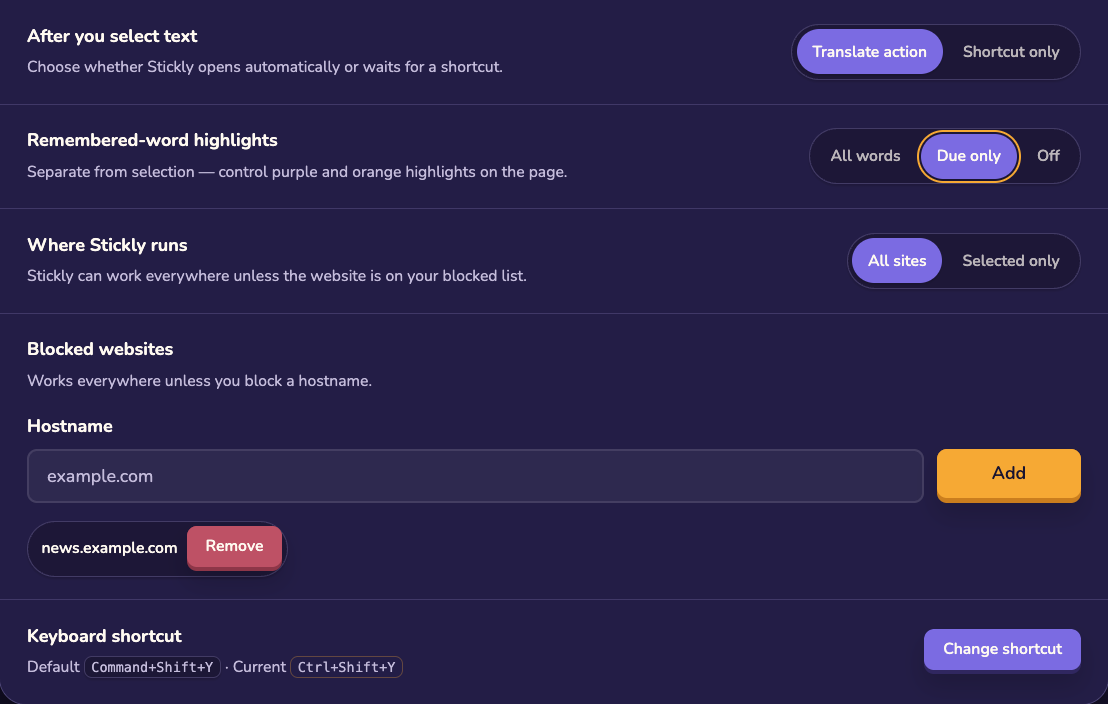
The highlight control affects remembered-word marks. It does not have to disable deliberate selection translation, so you can still ask for a translation when you need one.
Quiet the current page
Open a bubble from a highlighted word or a fresh translation, then choose the stop-highlighting action. The current page becomes quieter without changing every site.
Change the normal preference
Open Settings → Browsing to change remembered-word highlights for your normal browsing experience. The preference persists after refresh.
Keep practice separate
Still stuck?
Tell us what happened.
Include the page, browser, and what you expected. A human reads every message.