
Browser extension
Turn off inline word practice
Keep remembered words visible while stopping due-word quizzes.
2 min read · Updated 2026-08-22
Separate practice from highlights
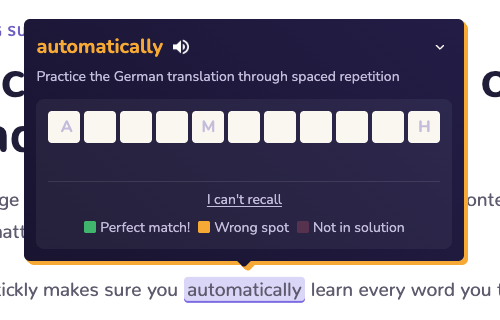
Word practice controls whether due saved words can open inline quizzes. You can keep purple and orange highlights visible while turning off the typing challenge.
Change the practice setting
Open browsing settings from the extension menu or Stickly Settings, find word practice, and turn it off. An already-open page may need a refresh before the new behavior is visible.
Resume when you are ready
Turn the setting back on when you want due words to challenge you again. Your saved words and review schedule remain intact while practice is paused.
Make the whole page quiet
Still stuck?
Tell us what happened.
Include the page, browser, and what you expected. A human reads every message.