
Browser extension
Understand highlight colors and states
Recognize ordinary remembered words, words due for review, and completed feedback.
3 min read · Updated 2026-08-22
Purple means remembered
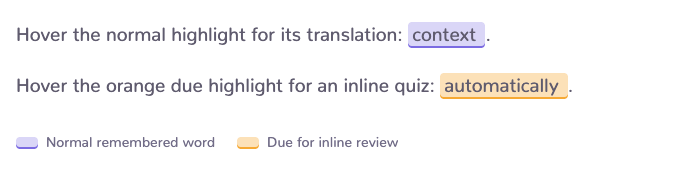
Purple highlights indicate saved vocabulary that is available as a translation while you read. They are reminders, not interruptions: open one when you want to revisit the word.
Orange means due
Orange highlights indicate a word that is ready for inline review when word practice is enabled. The color signals an opportunity to recall the meaning before looking at the answer.
Green marks immediate success
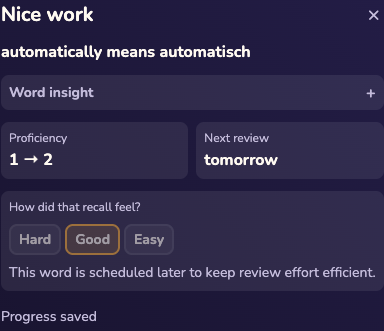
A successful answer can turn matching highlights green and reopen the translation bubble. That is immediate feedback for the current page; durable progress remains with the vocabulary item.
Make the page quieter
Stop highlighting from the bubble menu when you want a page-level pause. Use browsing settings for a persistent highlight preference, or use the tab and website controls when the scope should be temporary. These controls remain independent from selection translation and word practice.
Still stuck?
Tell us what happened.
Include the page, browser, and what you expected. A human reads every message.