
Start here
A tour of Stickly’s main surfaces
Start with the same-word, two-websites learning loop, then choose an optional surface for managing or reviewing your vocabulary.
5 min read · Updated 2026-10-03
The extension: learn in context
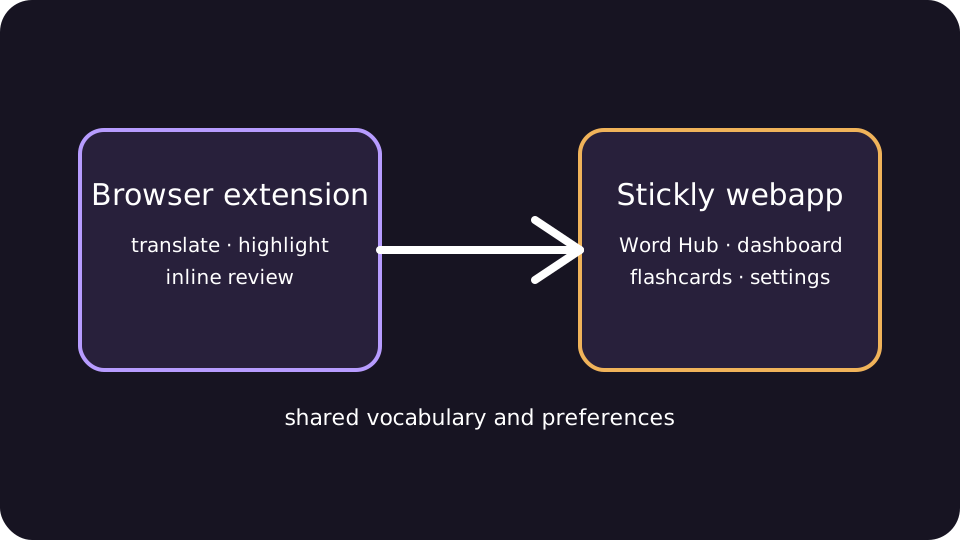
Use the extension on web pages to select text for translation, save words, see remembered vocabulary, hear pronunciation, and complete due inline quizzes without leaving the page.
The central mechanism is one saved word on two websites. You look it up on the first page; when it occurs in later reading, a highlight can help you notice it or attempt a due review. Its next review updates from the result. Translation, remembered-word highlights and inline practice remain independent controls.
See what a vocabulary browser extension does and the comparison with Readlang and LingQ to choose a reading workflow.
Word Hub: manage the collection
Word Hub is the central collection view. Search, filter, edit, delete, hear, inspect status, and export saved words from one place.
Use language focus for a manageable view. Use the due count to find words ready for review. Use Anki export when you need a portable copy.
Review and practice surfaces
Flashcards provide dedicated recall. Test Your Vocabulary is a check-in. The tile game is a separate playful activity. Practice Studio is a bounded five-turn text or voice session for signed-in learners and does not require the extension.
A simple choice
Keep reading: Use selection translation and save only useful words. Manage: Open Word Hub to search, edit, hear, or export. Recall: Choose inline review or flashcards for a direct memory attempt. Explore: Use the game, test, or Practice Studio when that format fits your goal.
Still stuck?
Tell us what happened.
Include the page, browser, and what you expected. A human reads every message.