
Start here
What is Stickly?
Learn vocabulary from the articles you already read: look up a word, meet it on another website, and recall it in place.
4 min read · Updated 2026-10-03
The learning loop
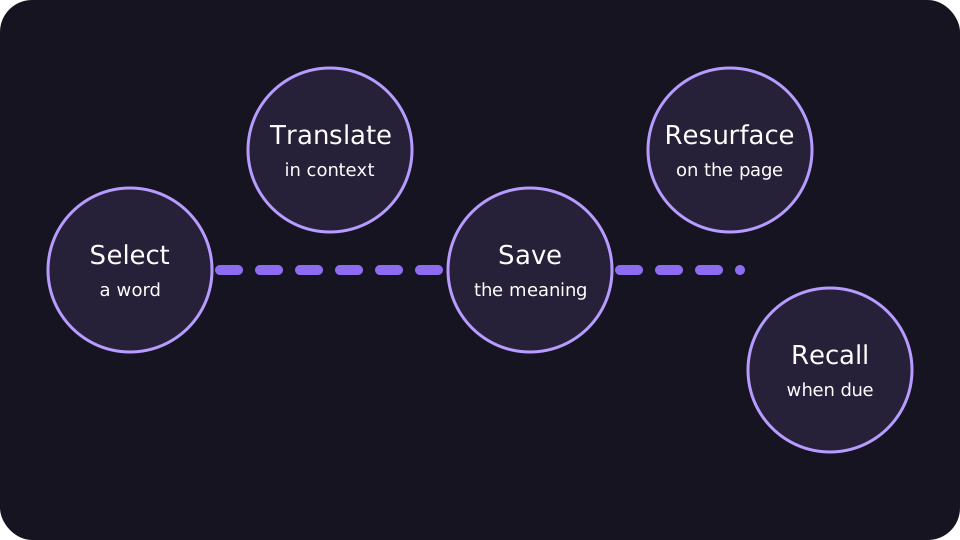
Learn vocabulary from the articles you already read. Stickly connects deliberate translation with later recall: look up a word, save it, meet it on another website, attempt its meaning in place, and update its next review.
A word can reappear when the reading you choose actually contains it. Stickly does not insert saved words into articles or guarantee a natural encounter at a scheduled time. If a word does not return in your browsing, focused review is still available.
For a practical reading routine, see learning vocabulary while reading websites. For an explanation of natural encounters and review scheduling, see spaced repetition in the browser.
The browser extension
The extension works on ordinary web pages. It provides the selection translation bubble, pronunciation, saved-word highlights, and inline quizzes while you keep your page open.
Purple highlights are remembered words. Orange highlights indicate a word due for review. A successful inline review turns matching highlights green briefly.
The webapp
The signed-in webapp is the management and practice hub. Word Hub shows your collection and status; flashcards, tests, the tile game, and Practice Studio offer separate ways to work with your vocabulary.
Where to begin
Install and choose languages: Finish onboarding and select the language pair you want to learn. Translate deliberately: Select one useful word on a page and use the translation action. Save selectively: Keep words you expect to meet or use again, rather than everything unfamiliar. Return and recall: Use a later highlight, Word Hub, or flashcards to attempt the meaning before revealing it.
Sentence saving is optional. Enable context saving if you want to keep the surrounding sentence with a word.
Still stuck?
Tell us what happened.
Include the page, browser, and what you expected. A human reads every message.