
Start here
Stickly terms explained
Use this plain-language glossary to decode the labels you see in the extension and webapp.
5 min read · Updated 2026-08-22
Core vocabulary terms
Saved word: a vocabulary item you chose to keep in your account. Context: surrounding source information saved with a word to support meaning and recall. Learning language: the language whose words you are trying to understand and remember. Translation language: the language used to explain the selected word.
Review terms
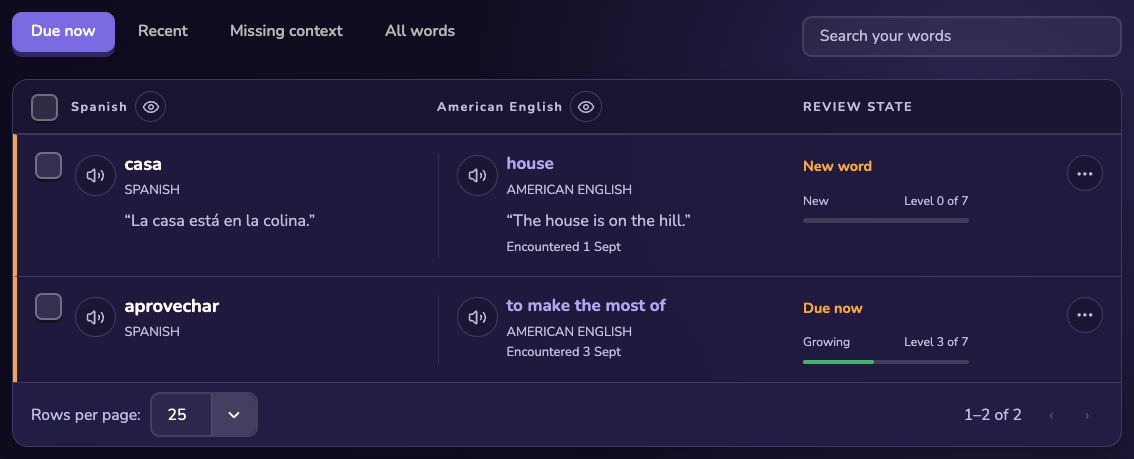
Due: ready for another explicit recall attempt. Next review: the current scheduled time shown for a word. Proficiency: a product status signal based on review history, not a certificate. Inline quiz: the extension’s typed recall challenge on a page.
Surface terms
Word Hub: the webapp collection and vocabulary-management area. Flashcards: a dedicated webapp recall activity. Tile game: a separate game using vocabulary challenges. Practice Studio: a bounded text or voice practice experience in the webapp.
Control terms
A tab pause affects one browser tab; a website pause affects the current site; highlights control automatic remembered-word marks; and word practice controls inline quizzes. These controls are intentionally narrower than signing out or uninstalling.
Still stuck?
Tell us what happened.
Include the page, browser, and what you expected. A human reads every message.