
Browser extension
Translation and highlights are separate controls
Control deliberate selection translation independently from remembered-word highlights and inline practice.
4 min read · Updated 2026-08-22
Two different jobs
Selection translation responds when you deliberately choose text and request help. Remembered-word highlights scan a page for vocabulary already in your collection. They are related, but one should not be treated as a master switch for the other.
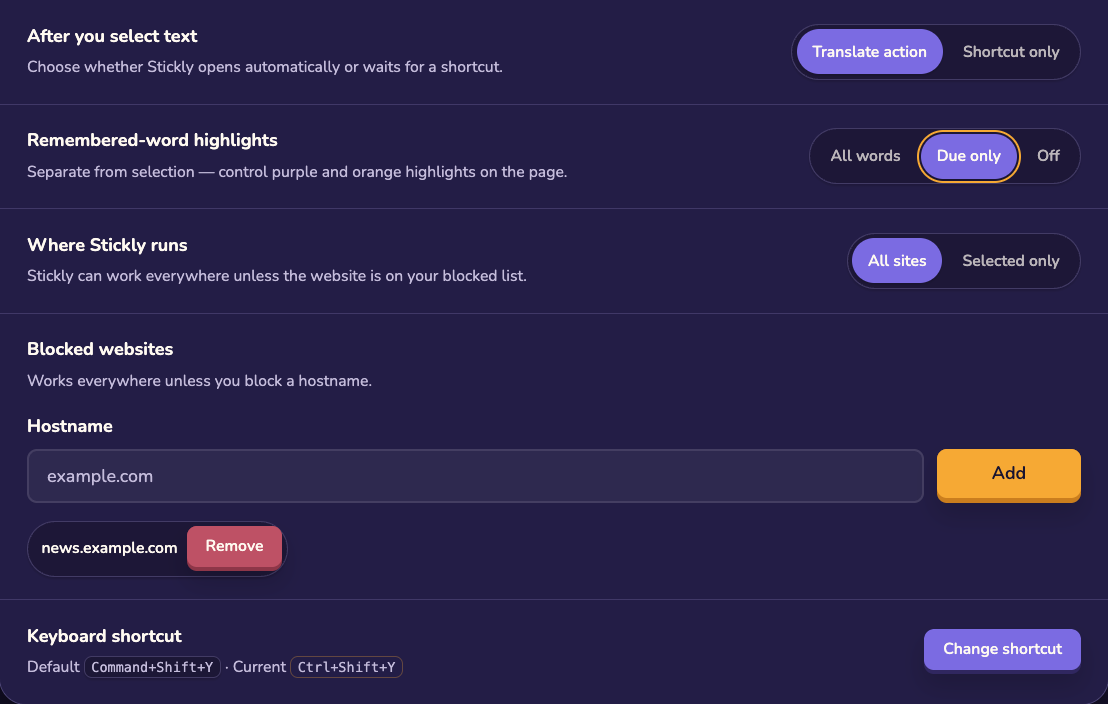
Keep translation, reduce page changes
Open the extension menu: Use the bubble or extension controls to reach settings. Stop highlighting: Turn off remembered-word highlights when you want a cleaner page. Leave translation available: Keep deliberate selection translation enabled for words you choose to investigate.
Control inline practice separately
If you want highlights and translation but no typing challenge, disable word practice rather than disabling the whole extension. A tab or website pause is another narrower option when only one context needs quiet.
Current tab: temporary local pause. Current website: site-specific pause. Highlights: remove automatic remembered-word marks. Word practice: remove due inline quizzes.
Restore the behavior
Return to the same settings or menu action to re-enable a paused behavior. If the page still looks unchanged, reload it and confirm that the extension is connected to the expected account.
Still stuck?
Tell us what happened.
Include the page, browser, and what you expected. A human reads every message.