
Browser extension
When a translation did not appear
Understand why a selection action or translation bubble may be missing.
3 min read · Updated 2026-08-22
Start with an ordinary selection
Try one word or a short phrase in a normal article paragraph. Inputs, editors, PDF viewers, browser controls, and protected application surfaces can prevent extension UI from appearing even when Stickly is working normally.

Check the page state
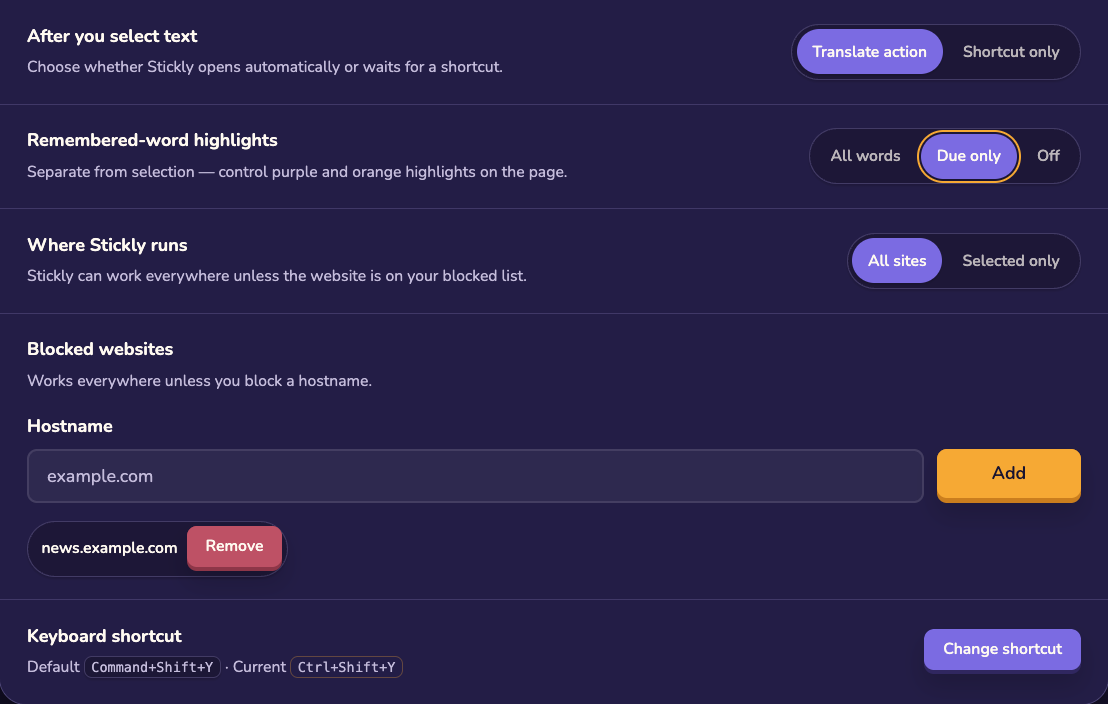
The current tab or website may have Stickly disabled, or the page may intentionally suppress extension UI. Open the extension menu and check the scope before trying the same selection repeatedly.
Refresh the connection
Confirm that the extension is installed and enabled, then reload the page after changing permissions or site settings. If the browser cannot connect to Stickly on ordinary pages, continue with “Extension not working.”
Capture useful details
Still stuck?
Tell us what happened.
Include the page, browser, and what you expected. A human reads every message.