
Start here
Start learning with Stickly in five minutes
Complete the smallest useful setup: install the extension, choose a language pair, save one word, and find it again.
4 min read · Updated 2026-08-22
Before you start
You need a supported Chromium browser, a Stickly account, and a page containing text in the language you want to learn. The webapp and extension share your signed-in vocabulary.
Set up the essentials
Install Stickly: Open the browser extension listing, install it, and follow the connection prompt. Create or sign in: Use the same account in the webapp and extension so your words can synchronize. Choose languages: Set your learning language and the language into which you translate.
Make your first useful save
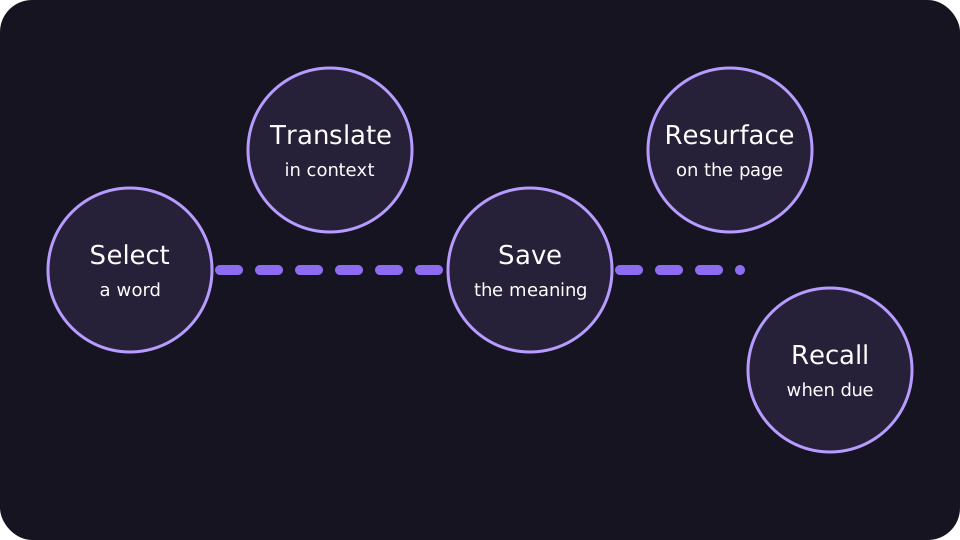
Open a real page: Choose reading you actually want to understand; a short article is enough. Select one word: Select the unfamiliar word and invoke Stickly’s translate action. Check context: Read the translation and source context, then save only if the word is worth revisiting.
Find it again
Open Word Hub from the webapp to search, edit, hear, or review the saved word. When it appears on another page, its highlight can open the translation or an inline quiz depending on its review state.
If you cannot find it, confirm you are signed in to the same account. Use the language focus and search in Word Hub. Return to the page and reload it after changing extension settings.
Still stuck?
Tell us what happened.
Include the page, browser, and what you expected. A human reads every message.